How to File a Rental Car Insurance Claim: A Complete Guide
Overview
Rented a car abroad and got charged for damage? This guide walks through the entire process of filing a claim with third-party rental car insurance providers (such as RentalCover, WorldNomads, or similar services).
Why third-party rental car insurance?
| Rental Company Insurance | Third-Party Insurance |
|---|---|
| Expensive (€15-30/day) | Affordable (often <€10/day) |
| Limited to one rental | Usually covers multiple rentals |
| Automatic deduction | Reimbursement-based |
Third-party insurance typically covers the excess/deductible charged by rental companies for damage, theft, or single-vehicle accidents — at a fraction of the cost.
Part 1: Essential Documents (The “Big 5”)
Before starting the claim form, gather these five documents in digital format (PDF or clear photos):
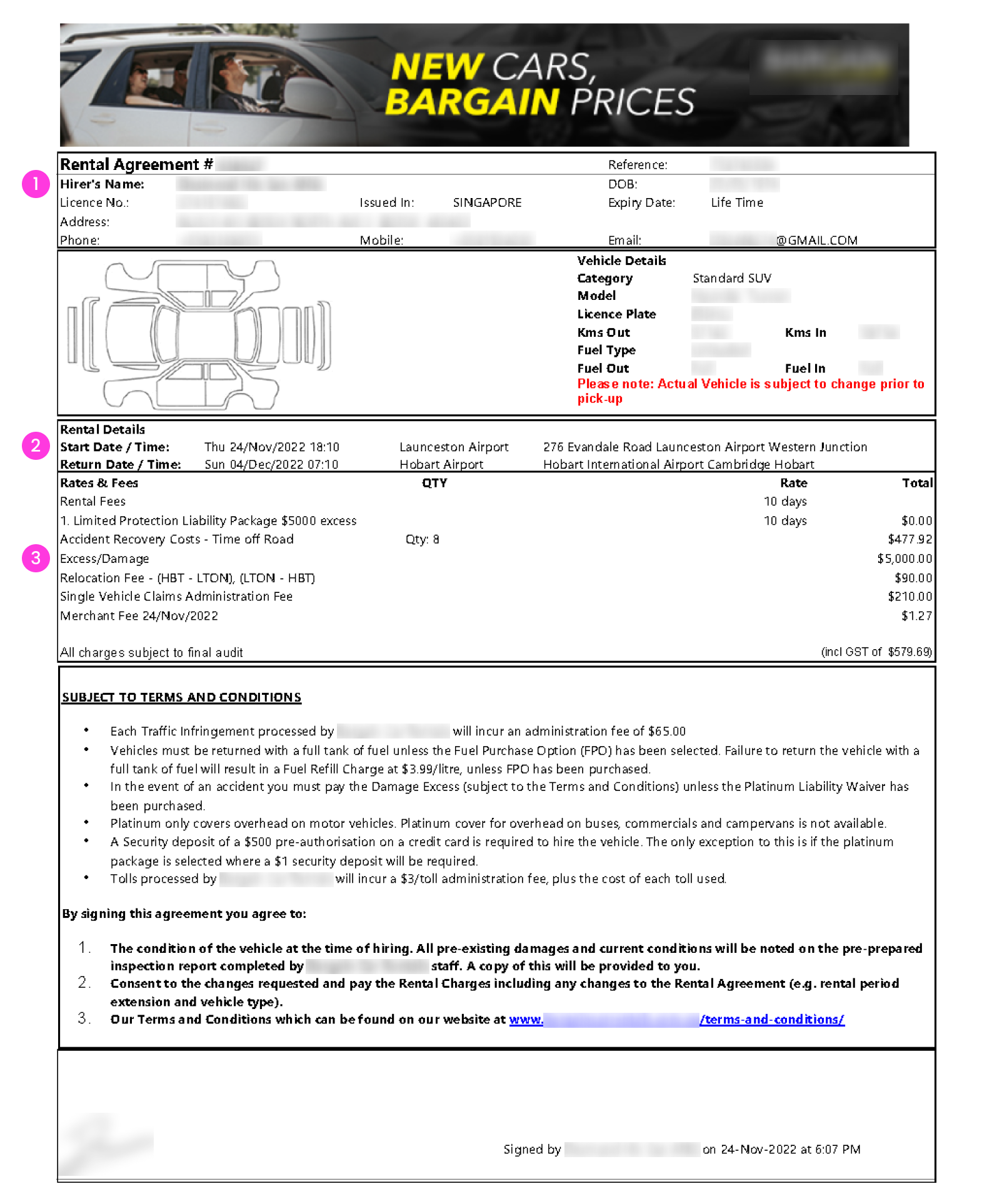
Rental Agreement / Contract
The document signed at pickup, containing:
- Primary driver’s name
- Rental period
- Excess/deductible amount (crucial!)
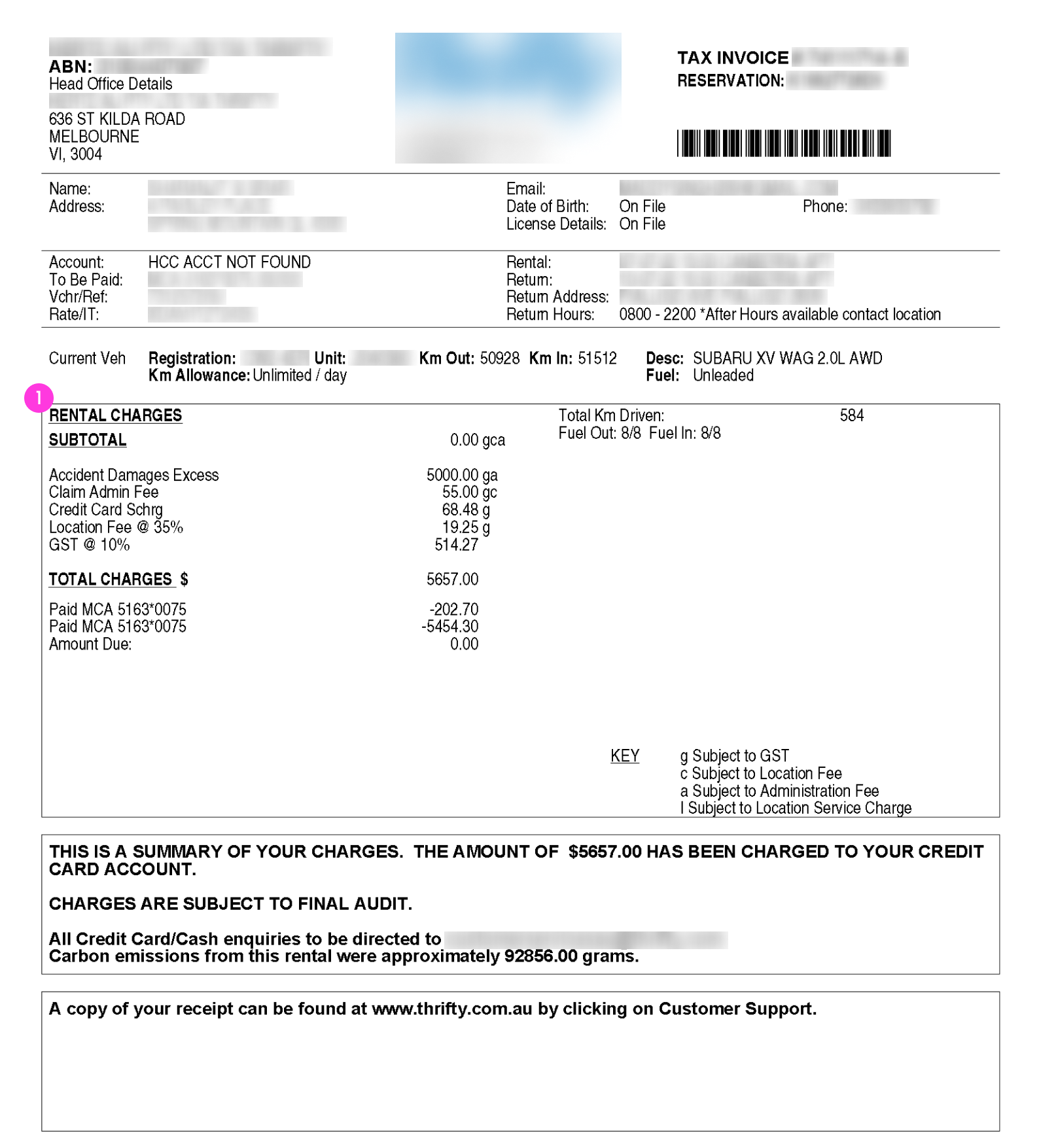
Final Invoice
The billing document issued after returning the vehicle:
- Must show the exact repair/damage charge (e.g., €490)
- Different from the initial rental quote
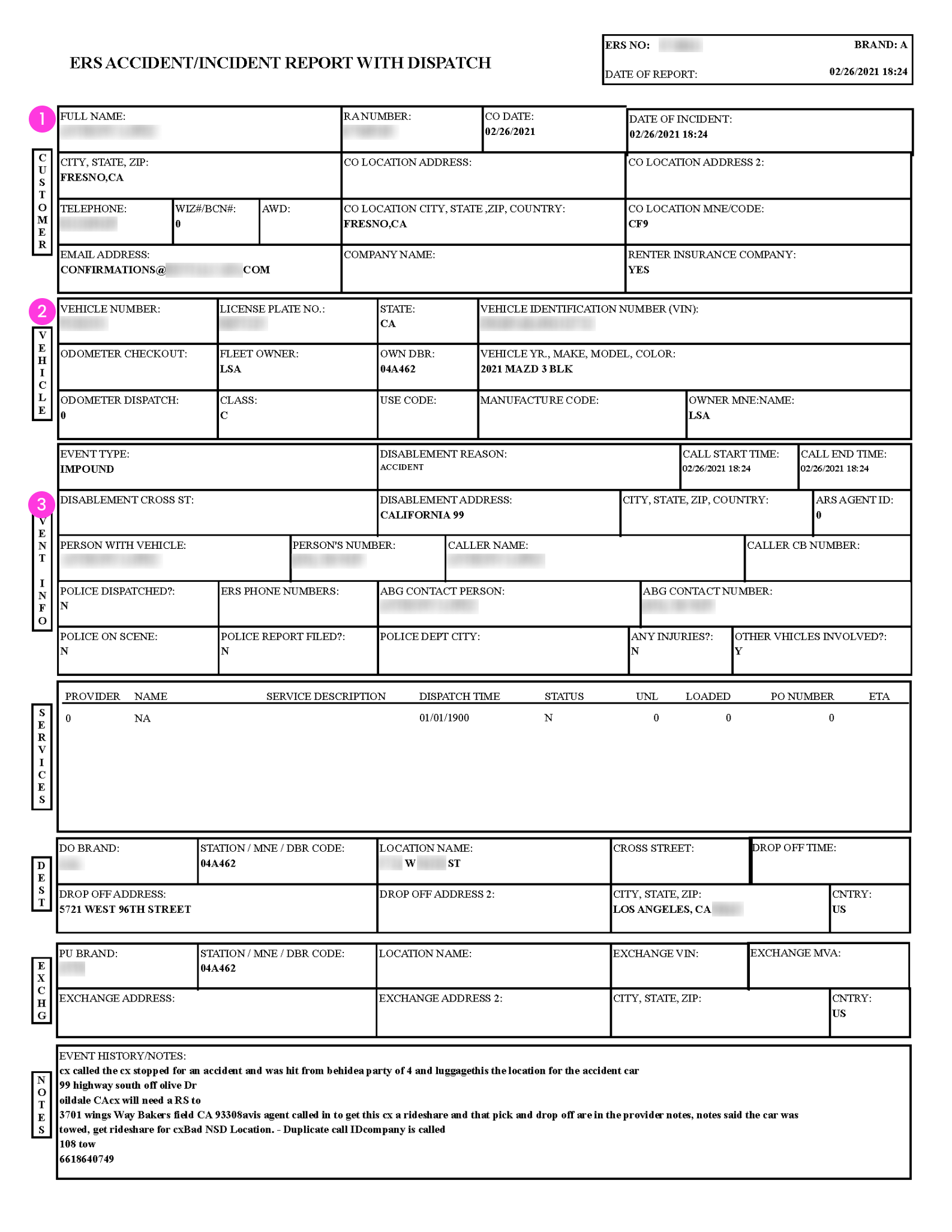
Damage Report / Check-out Form
The inspection form at vehicle return:
- Contains staff markings indicating damage location
- Core evidence that damage was acknowledged by the rental company
Proof of Payment
Credit card statement or bank transaction:
- Proves the amount was actually deducted from the account
- Screenshot showing date, amount, and merchant name
Photos of Damage
Pictures taken at the scene:
- Close-up shots of scratches, dents, or other damage
- Include wide shots showing the damage location on the vehicle
Part 2: Filling Out the Claim Form
Selecting Cause of Damage
Choose based on when the damage was discovered, not when it occurred:
| Scenario | Recommended Selection |
|---|---|
| Discovered during return inspection | “The incident happened while the vehicle was unattended” |
| Notified after leaving (email/charge) | “I found out about the damage after returning the vehicle” |
Writing the Description
Use clear, factual language. Template:
“During the vehicle drop-off inspection, the rental company staff pointed out a new scratch/dent. I was not aware of this damage previously. The staff suggested it was likely caused by another car door hitting the rental vehicle while it was parked and unattended. I do not have details of the third party.”
Rental Agency Information
| Field | What to Enter |
|---|---|
| Agency Name | The actual car rental company (e.g., Hertz, Avis, Europcar) — not the booking platform |
| Agency Email | The rental company’s email (found on the contract header/footer) |
Claim Amount
| Field | Value |
|---|---|
| Total amount claiming | The actual charge deducted (from final invoice) |
| Damage Protection Excess | The maximum excess stated in contract (typically €1,000 - €1,500) |
Part 3: Common Pitfalls to Avoid
⚠️ Name Consistency
For fastest processing, ensure these three names match:
- Claim applicant name
- Primary driver on rental contract
- Credit card holder
⚠️ Police Report
For minor incidents (scratches, glass, tire damage) with:
- No injuries
- No third-party dispute
A police report is not required. Select “No” when asked.
⚠️ Timeline Logic
- Incident date cannot be after vehicle return date
- If unsure when damage occurred, use the return date or day before
⚠️ Bank Details
- Not required at submission time
- After approval, the insurer sends a secure link to collect payment information (IBAN)
Part 4: After Submission
Timeline
| Stage | Expected Duration |
|---|---|
| Initial review | 3-7 business days |
| Additional documents (if needed) | Check email including spam folder |
| Payment processing | 1-3 days after approval |
Payment Process
- Receive “Claim Approved” email
- Click the secure link in the email
- Enter bank account details (European IBAN recommended for fastest transfer)
- Wait for funds to arrive
Summary Checklist
Before submitting, verify:
- All 5 essential documents uploaded
- Rental company name (not booking platform) entered
- Claim amount matches final invoice
- Incident date is before or on return date
- Description is clear and factual
- Names are consistent across documents