Understanding what machine learning is through the self-driving car example, mastering the core concepts of training and prediction.
Learning Objectives
After reading this post, you will be able to:
Understand the fundamental difference between machine learning and traditional programming
Know the three conditions where machine learning is applicable
Master the core concepts of “training” and “prediction”
Distinguish between supervised, unsupervised, reinforcement, and deep learning
Theory
Welcome to the Supervised Machine Learning series! Let’s start with a real-world challenge that illustrates why ML is so powerful.
The Self-Driving Car Challenge
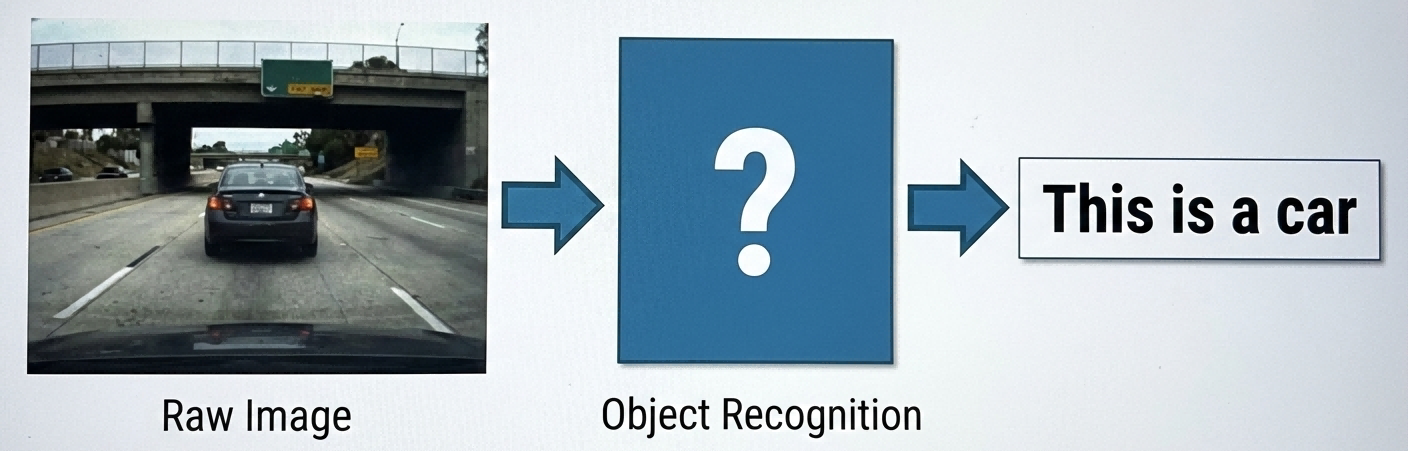
Imagine a self-driving car navigating through traffic. It needs to constantly “see” its surroundings and identify pedestrians, vehicles, traffic lights, etc.:
The object recognition challenge — Camera Feed → [???] → Classification
What goes in [???]? Traditional programming might approach it like this:
# Traditional programming approach (pseudocode)defis_car(image):ifhas_four_wheels(image)andhas_windows(image)andhas_headlights(image):returnTruereturnFalse
But here’s the problem:
What if half the car is occluded, showing only two wheels?
What about trucks, motorcycles, or exotic vehicles?
Real-world scenarios are too complex to enumerate all rules!
This is where machine learning comes in.
What is Machine Learning?
Machine learning takes a completely different approach. Instead of telling the machine “cars have four wheels,” we show it thousands of car images and let it learn on its own what a car is.
graph LR
subgraph "🎓 Training Phase"
A[("📊 Training Data<br/>+ Labels")] --> B["🧠 Learning Algorithm"]
B --> C[("📦 Model")]
end
subgraph "🔮 Prediction Phase"
D[("❓ New Data")] --> C
C --> E["✅ Prediction"]
end
style B fill:#e1f5fe
style C fill:#fff9c4
style E fill:#c8e6c9
Training and Prediction
So how does machine learning actually work? It all comes down to two core steps:
Step
Description
Analogy
Training
Teaching the machine using known data
Student doing practice problems
Prediction
Making judgments on new data
Student taking an exam
💡 Key Question: Why does performing well on practice problems translate to good exam performance? This will be answered in later posts!
When to Use Machine Learning
Machine learning sounds powerful, but is it always the right tool? Not every problem is a good fit. Three conditions must be met:
graph LR
A[Is the problem\n suitable for ML?] --> B{Pattern exists?}
B -->|Yes| C{Pattern hard to define?}
B -->|No| X[❌ Not suitable]
C -->|Yes| D{Sufficient data?}
C -->|No| X
D -->|Yes| Y[✅ Suitable for ML]
D -->|No| X
style Y fill:#c8e6c9
style X fill:#ffcdd2
Using self-driving as an example:
✅ Pattern exists: All cars share common features
✅ Hard to define: Can’t describe “what is a car” with simple rules
✅ Data available: Internet has countless car images
Types of Machine Learning
Once it’s established that ML is suitable, which type should be used? There are several major paradigms:
Type
Core Idea
Typical Applications
Supervised Learning
Has “teacher” guidance, data with labels
Handwriting recognition, spam filtering
Unsupervised Learning
No labels, discovers patterns
Customer segmentation, recommendations
Reinforcement Learning
Learns through trial and error
Game AI, robotics
Deep Learning
Simulates brain’s neural networks
Image recognition, voice assistants
📚 This series focuses on: Supervised Machine Learning
Supervised Learning Example
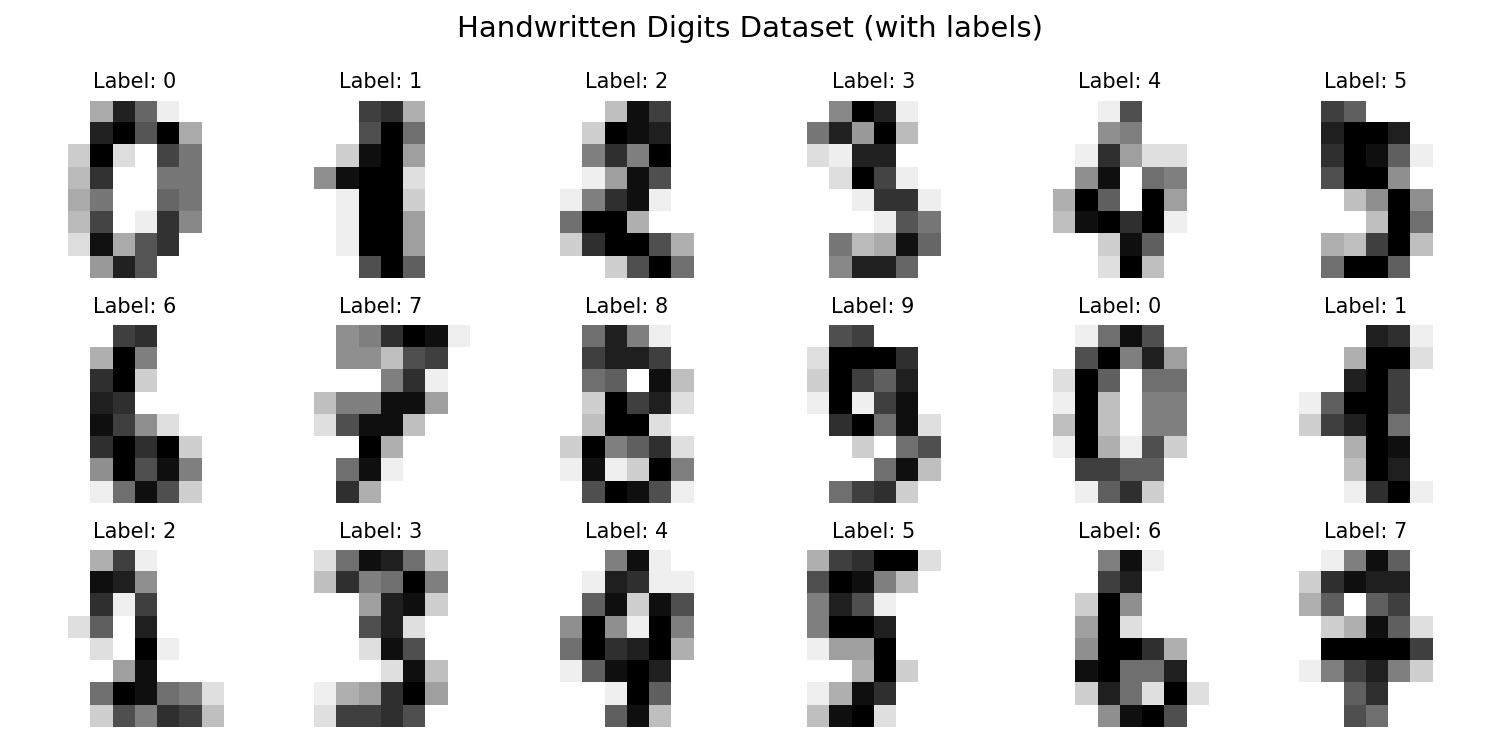
In supervised learning, each training sample has a label — like homework graded by a teacher:
# Visualize some digits with their labelsfig,axes=plt.subplots(3,6,figsize=(10,5))fig.suptitle('Handwritten Digits Dataset (with labels)',fontsize=14)fori,axinenumerate(axes.flat):ax.imshow(digits.images[i],cmap='gray_r')ax.set_title(f'Label: {digits.target[i]}',fontsize=10)ax.axis('off')plt.tight_layout()plt.show()plt.savefig('assets/digits_labeled.png',dpi=150)
**Figure 3:** Sample handwritten digits from the MNIST dataset
Experience Training and Prediction
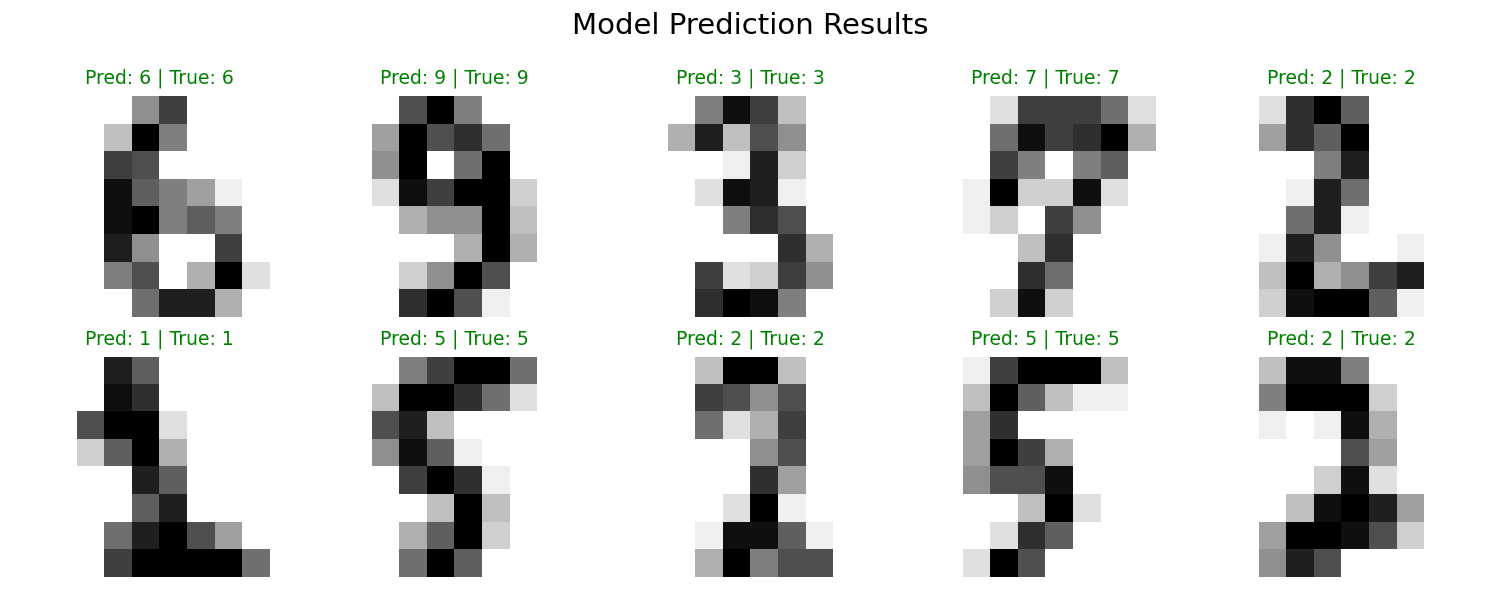
Although we haven’t learned specific algorithms yet, let’s experience the complete ML workflow:
fromsklearn.model_selectionimporttrain_test_splitfromsklearn.neighborsimportKNeighborsClassifierfromsklearn.metricsimportaccuracy_score# Prepare dataX=digits.data# Features: pixel valuesy=digits.target# Labels: 0-9# Split into training and test setsX_train,X_test,y_train,y_test=train_test_split(X,y,test_size=0.2,random_state=42)print(f"Training set size: {len(X_train)}")print(f"Test set size: {len(X_test)}")# Train model (using K-Nearest Neighbors, will cover later)model=KNeighborsClassifier(n_neighbors=3)model.fit(X_train,y_train)# This is "training"# Predicty_pred=model.predict(X_test)# This is "prediction"# Evaluate accuracyaccuracy=accuracy_score(y_test,y_pred)print(f"\nModel accuracy on test set: {accuracy:.2%}")
fromPILimportImageimportnumpyasnpimportmatplotlib.pyplotaspltfromsklearn.datasetsimportload_digitsfromsklearn.neighborsimportKNeighborsClassifier# Train the model (same as before)digits=load_digits()X,y=digits.data,digits.targetclf=KNeighborsClassifier(n_neighbors=3)clf.fit(X,y)defpredict_custom_digit(image_path,visualize=True):"""
Load a custom handwritten digit image and predict its value.
Image should be a white digit on black background, any size.
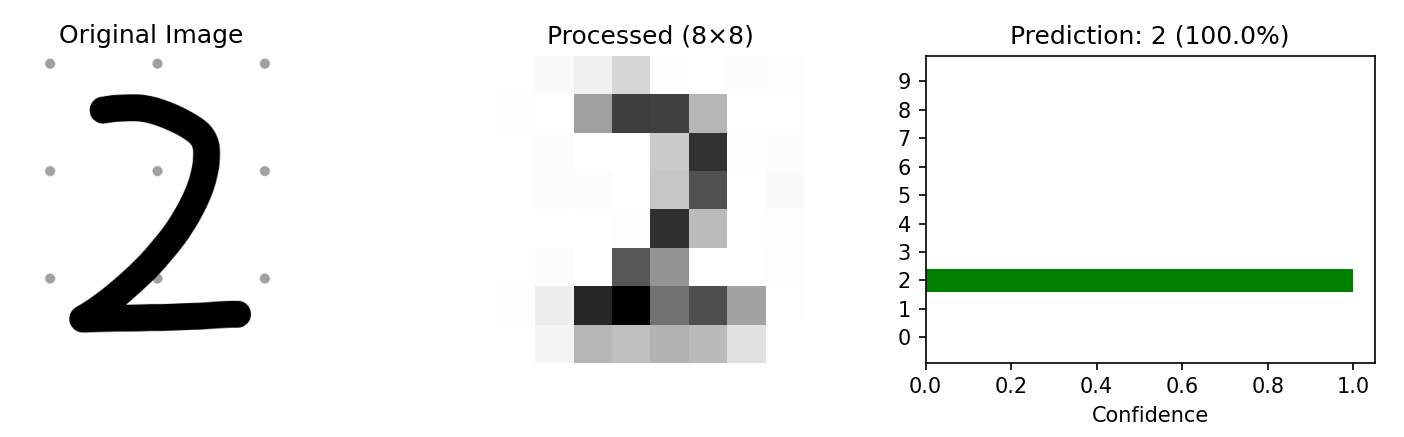
"""# Load original imageimg_original=Image.open(image_path).convert('L')# Resize to 8x8img_resized=img_original.resize((8,8),Image.Resampling.LANCZOS)# Convert to array and normalize (sklearn digits are 0-16 scale)img_array=np.array(img_resized)img_processed=16-(img_array/255.0*16)# Invert colorsimg_flat=img_processed.flatten().reshape(1,-1)# Predictprediction=clf.predict(img_flat)[0]probabilities=clf.predict_proba(img_flat)[0]confidence=probabilities[prediction]*100# Visualizationifvisualize:fig,axes=plt.subplots(1,3,figsize=(10,3))# Original imageaxes[0].imshow(img_original,cmap='gray')axes[0].set_title('Original Image')axes[0].axis('off')# Processed 8x8 imageaxes[1].imshow(img_processed,cmap='gray_r')axes[1].set_title('Processed (8×8)')axes[1].axis('off')# Prediction confidence barcolors=['green'ifi==predictionelse'lightgray'foriinrange(10)]axes[2].barh(range(10),probabilities,color=colors)axes[2].set_yticks(range(10))axes[2].set_xlabel('Confidence')axes[2].set_title(f'Prediction: {prediction} ({confidence:.1f}%)')plt.tight_layout()plt.savefig('assets/custom_prediction.png',dpi=150)plt.show()print(f"Predicted digit: {prediction}")print(f"Confidence: {confidence:.1f}%")returnprediction# Usage example:predict_custom_digit('my_digit.png')
**Figure 5:** Custom digit prediction — Original image, preprocessed input, and model confidence
💡 Tips for best results:
Draw a white digit on black background
Center the digit in the image
Use a thick brush/pen stroke
Save as PNG format
Deep Dive
Q1: Why does learning from training data work on new data?
This is the core question of machine learning! Simply put, we assume training and test data come from the same distribution.
Q2: Deep learning is so powerful — why learn traditional ML?
Deep learning requires massive datasets; traditional methods may work better on small data
Deep learning needs powerful hardware (GPUs); traditional methods are lighter
Traditional methods offer better interpretability — they can tell you “why” a prediction was made
Q3: How do I choose which ML method to use?
graph LR
A[Your Problem] --> B{Have\n labeled data?}
B -->|Yes| C[Supervised\n Learning]
B -->|No| D[Unsupervised\n Learning]
C --> E{Predicting continuous\n or discrete?}
E -->|Continuous| F[Regression]
E -->|Discrete| G[Classification]
Summary
Core Concept
Key Points
Machine Learning
Machines learn from data instead of explicit programming